q669q Withdrawal Guide: Withdraw to bKash, Nagad & More

Read this once and you will know exactly how to submit a q669q withdraw request, pass your first-time document check, and get funds in your mobile wallet — from start to finish.


How to Withdraw: the Steps

Log in first. If you have not done your document check yet, complete that before you tap Withdraw — the system will block the request otherwise. Then follow these steps.

  1. 1

    Open the Withdraw page

    Tap your avatar or balance at the top right, then select Withdraw from the menu. On the app this is under Me → Finance → Withdraw.

  2. 2

    Choose your mobile wallet

    Pick bKash, Nagad, Rocket, or Upay. Select the same wallet you normally use for deposits — it must match the name on your account.

  3. 3

    Enter the amount

    Minimum single withdrawal is ৳1,000. Daily total cannot exceed ৳185,000. The form will warn you if you go over your VIP tier's daily limit.

  4. 4

    Confirm your wallet number

    Double-check the wallet number on screen. It should be the number you registered with. If it is wrong, contact live chat before confirming.

  5. 5

    Submit and wait

    Tap Confirm Withdrawal. Processing takes around 44 minutes on average. You will get an SMS or in-app notification once the funds arrive.

Withdrawal Limits and Timing at a Glance

Item Amount / Time Notes
Minimum withdrawal ৳1,000 Per single request
Maximum daily withdrawal ৳185,000 Bronze–Gold tiers; higher tiers get more
Average processing time ~44 min After approval by finance team
First-ever withdrawal ~2 hours Includes document review
Fees None q669q does not charge withdrawal fees

Your First Withdrawal: q669q Document Check

Before your first withdrawal is paid out, you need to upload one valid identity document. This is a one-time step — once approved you will not need to do it again.

Accepted documents

  • National ID Card (NID)
  • Passport
  • Driving Licence

How to upload

  1. 1

    Go to Account Settings

    Open Me → Document Verification. You can also do this directly from the Withdraw page when prompted.

  2. 2

    Take a clear photo

    All four corners must be visible. Use natural light. The name on the document must match your q669q account name exactly.

  3. 3

    Upload front and back

    For NID and Driving Licence, upload both sides. Passport needs the photo page only. File size limit is 5 MB per image (JPG or PNG).

  4. 4

    Wait for review

    The team reviews documents within 2 hours during normal hours. You will get an in-app notification when approved.

Your data stays private

Documents are used only for identity verification. They are stored on encrypted servers and never shared with third parties. Only the compliance team can access your files.

Why q669q Withdrawals Get Declined — and What to Do

Reason What happened Fix it
Document not submitted First withdrawal, no ID uploaded Upload NID, Passport, or Driving Licence under Me → Verification
Name mismatch Account name differs from document Contact live chat to correct your profile name before re-uploading
Wagering not met Bonus funds still have playthrough remaining Check the Bonus Wallet for remaining wagering — finish it, then withdraw
Wrong wallet number Wallet number on file is incorrect Update your wallet number in Account Settings and resubmit
Amount below minimum Requested less than ৳1,000 Withdraw at least ৳1,000 in a single request
Daily limit reached Total today already hit ৳185,000 Wait for the limit to reset at midnight (UTC+06), or upgrade your VIP tier

Supported Withdrawal Channels

Method Min Withdrawal Avg. Processing Notes
bKash ৳1,000 ~44 minutes Most widely used; instant wallet credit
Nagad ৳1,000 ~44 minutes Post Office network; good rural coverage
Rocket ৳1,000 ~44 minutes Dutch-Bangla Bank mobile wallet
Upay ৳1,000 ~44 minutes UCB-linked wallet; growing acceptance

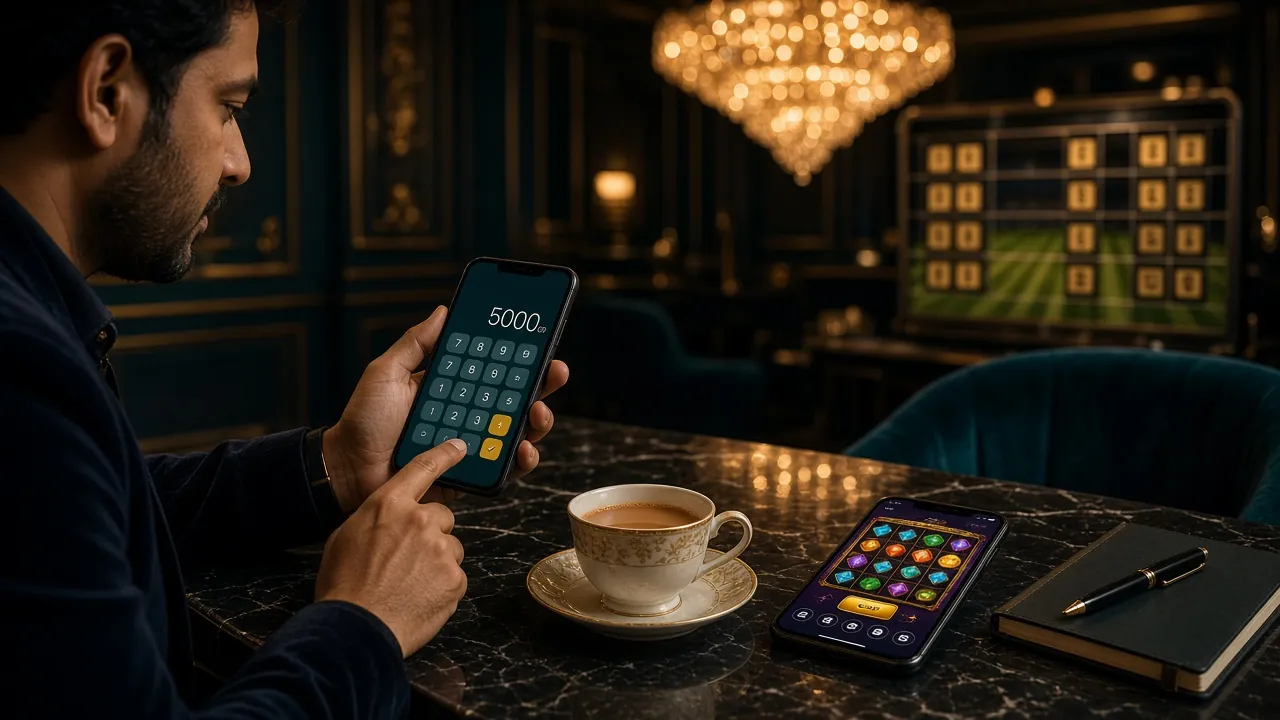
Player on a smartphone completing a mobile wallet withdrawal on the q669q app

Protect Your Mobile Wallet While You Withdraw

Fraud targeting mobile wallet users is common in Bangladesh. These habits take 30 seconds to form and can save you from losing real money.

Keep your PIN and OTP private

  • Never tell your bKash or Nagad PIN to anyone — including people who claim to be q669q support staff. Genuine support agents will never ask for it.
  • Do not read your OTP out loud over the phone. Any caller asking for your one-time code is a scammer, full stop.
  • Change your PIN immediately if you think anyone else has seen it.

Fake support calls are real

  • Only contact q669q through the Live Chat inside the website or app. We do not make unsolicited outbound calls to players.
  • Scammers often find your number from leaked databases and pose as "q669q Finance Team." If someone calls you about a withdrawal, hang up and report via Live Chat.
  • Always transfer to the wallet number shown inside your q669q account screen — nowhere else.

Save every transaction receipt

Screenshot the confirmation screen and note the Transaction ID (TrxID) every time you deposit or withdraw. If a transfer goes missing, the TrxID is what the support team needs to trace it. Store screenshots in a folder on your phone — they are your proof of payment.


Withdrawal Channels: Speed and Minimums

All four mobile wallets supported by q669q accept both deposits and withdrawals. Deposits clear in around 4 minutes; withdrawals average 44 minutes after the finance team approves the request. There are no extra fees charged by q669q on either side.

  • bKash Bangladesh's most widely used mobile wallet
    Direction Min. Amount Avg. Speed
    Deposit ৳200 ~4 minutes
    Withdrawal ৳1,000 ~44 minutes
  • Nagad Bangladesh Post Office's mobile financial service
    Direction Min. Amount Avg. Speed
    Deposit ৳200 ~4 minutes
    Withdrawal ৳1,000 ~44 minutes
  • Rocket Dutch-Bangla Bank's mobile banking wallet
    Direction Min. Amount Avg. Speed
    Deposit ৳200 ~4 minutes
    Withdrawal ৳1,000 ~44 minutes
  • Upay UCB's fast-growing mobile payment platform
    Direction Min. Amount Avg. Speed
    Deposit ৳200 ~4 minutes
    Withdrawal ৳1,000 ~44 minutes

The wallet number you withdraw to must match the name registered on your q669q account. If you need to change your linked wallet number, contact live chat before you submit the request — it cannot be edited mid-process.

Fixing Payout Problems: q669q Troubleshooting

Most payout issues have a simple cause. Work through these before contacting live chat — it usually saves you 10–15 minutes.

My deposit arrived but my balance did not update

Wait 10 minutes and refresh the app. If still missing, go to Me → Transaction History and check whether the deposit shows as "Pending." Copy the TrxID from your bKash or Nagad transaction history and paste it into the Live Chat window. The finance team can locate it within a few minutes using that ID.

My withdrawal was sent back to my q669q balance

This usually means the wallet number on file was wrong or temporarily blocked. Check Account Settings → Payment to confirm your wallet number is correct and active. If the number looks right, open your bKash or Nagad app to make sure the account is not restricted. Once you have confirmed both, resubmit the withdrawal request.

It has been more than 44 minutes and nothing arrived

Bank-side processing occasionally runs slower during peak hours (8–10 PM Bangladesh time). Check the status under Me → Withdrawal History. If the status still shows "Processing" after 2 hours, contact Live Chat and provide the withdrawal reference number shown in that screen. Do not submit a duplicate request — it will be cancelled automatically.

I entered the wrong TrxID when reporting an issue

Open the conversation in Live Chat and send the correct TrxID as a follow-up message. The agent will update the ticket. Getting the right TrxID matters: the transaction ID from your bKash/Nagad SMS is the one to use, not the q669q internal reference number (they are different).

My withdrawal was approved but bKash says the number is unregistered

Your wallet number may have changed, or you may have entered it with a typo during registration. Contact Live Chat immediately — do not resubmit. The team can redirect the payment once your correct wallet number is confirmed and updated in the system.


Worked Example: ৳1,000 Deposit to Withdrawal in Taka

This example uses q669q's real numbers so you can see exactly what happens to your money. Numbers marked (example) can vary based on your bets.

1
Deposit via bKash
৳1,000 deposited

Minimum deposit is ৳200, but ৳1,000 is a clean number for this example. Processing takes about 4 minutes. Your main balance shows ৳1,000.

2
First-deposit bonus credited
+৳2,200 bonus

The 220% welcome bonus adds ৳2,200 to your Bonus Wallet (220% of ৳1,000). Bonus cap is ৳11,000, so the full amount applies here. Total bonus wallet: ৳2,200. Bonus funds are separate from your main balance until wagering is complete.

3
Wagering requirement on the bonus
৳2,200 × 10 = ৳22,000 to wager

The 10× wagering requirement means you need to place ৳22,000 worth of qualifying bets before the bonus converts to real money. (Example) If you bet ৳100 per round on slots, that is 220 rounds. Keep in mind that only your main balance is withdrawable before wagering is complete.

4
Withdraw your main balance any time
৳1,000 available immediately

Your original ৳1,000 deposit (main balance) can be withdrawn at any point — wagering only locks the bonus funds. Submit a withdrawal request for ৳1,000; it arrives in your bKash wallet in about 44 minutes.

5
After wagering: bonus becomes real money
Up to ৳2,200 withdrawable

Once you complete ৳22,000 in qualifying bets, the remaining bonus balance converts. (Example) If you end with ৳1,800 in the Bonus Wallet after losses, that ৳1,800 becomes withdrawable real money. Total payout in this example: ৳1,000 + ৳1,800 = ৳2,800. Actual results depend on game outcomes.


bKash, Nagad, Rocket or Upay: Picking the Right Wallet

All four methods work with q669q at the same speed and minimum. The difference is your own situation — where you have an account, where your bank is, and how often you use the app.

bKash
Most popular

The largest mobile wallet in Bangladesh. Ideal if you already use bKash for daily payments. Customer care is well-established and disputes are easier to resolve. Best choice for first-time q669q users who want a familiar process.

Nagad
Post Office network

Backed by the postal network, so it reaches areas where bKash agents are sparse. Cash-out is easy in rural districts. Good option if you live outside Dhaka or Chittagong and prefer a government-linked service.

Rocket
Dutch-Bangla Bank

Linked to Dutch-Bangla Bank. Suits players who already use DBBL for salary or savings. The agent network is solid in both urban and semi-urban areas. Some users find the app slightly less intuitive than bKash, but it works perfectly for straightforward withdrawals.

Upay
UCB linked

Operated by United Commercial Bank. Growing fast in Dhaka. If you bank with UCB, Upay offers seamless transfers between your bank account and wallet. A practical second option for players who already have a UCB account and want to keep finances in one place.

There is no speed advantage to choosing one wallet over another at q669q — all four average around 44 minutes. Pick whichever wallet you use most day-to-day, so the money arrives somewhere you can spend it immediately.


Questions Players Ask About Withdrawals

What is the minimum amount I can withdraw from q669q?

The minimum withdrawal is ৳1,000 per request. There is no maximum per single transaction other than the daily cap of ৳185,000 for Bronze-tier accounts. Higher VIP tiers get a larger daily limit — Diamond allows ৳550,000 per day and Black Diamond goes up to ৳720,000.

Can I make multiple withdrawals in one day?

Yes. You can submit as many requests as you like, as long as the total does not exceed your tier's daily limit. For most players that is ৳185,000. The daily counter resets at midnight Bangladesh time (UTC+06). Each request is processed individually, so a second request goes into the queue while the first is being handled.

Do I need to submit documents every time I withdraw?

No. The document check is a one-time process. Once your NID, Passport, or Driving Licence is approved — which takes up to 2 hours — your account is verified permanently. All future withdrawals skip the document step and go straight to payment processing, which averages 44 minutes.

Does q669q charge any fee on withdrawals?

No. q669q does not charge a withdrawal fee. The amount you request is the amount credited to your wallet. Your mobile wallet provider (bKash, Nagad, etc.) may charge a small fee if you immediately cash out to an agent, but that is outside q669q's control. Check your wallet's own fee schedule if you plan to cash out at an agent the same day.

I have a bonus active — can I still withdraw my deposit?

Yes. Your main balance (actual deposited money) is always withdrawable, even when a bonus is active. Only the bonus funds are locked until wagering is complete. So if you deposited ৳1,000 and received a bonus, you can withdraw ৳1,000 from the main balance at any point. The bonus wallet converts to real money once you complete the 10× wagering requirement on the bonus amount.

What is the fastest I can receive a q669q withdrawal?

The average is around 44 minutes from submission to wallet credit. During off-peak hours (late night, early morning Bangladesh time) many players report faster processing. The slowest period tends to be Friday evenings when volume is highest. Your very first withdrawal takes longer — up to 2 hours — because it includes the document review. After that, all requests follow the standard 44-minute average.


Ready to make your first q669q withdrawal?

Open an account, deposit as little as ৳200, and when you are ready to cash out you will have everything you need from this guide. Processing takes about 44 minutes straight to your bKash or Nagad wallet.

18+ · Play Responsibly · Min withdrawal ৳1,000