q669q Deposit Guide:
Fund Your Account in Under 4 Minutes
By the end of this guide you will know exactly how to deposit into your q669q account using bKash, Nagad, Rocket, or Upay — including the minimum amount, expected wait time, and what to do if something goes wrong.
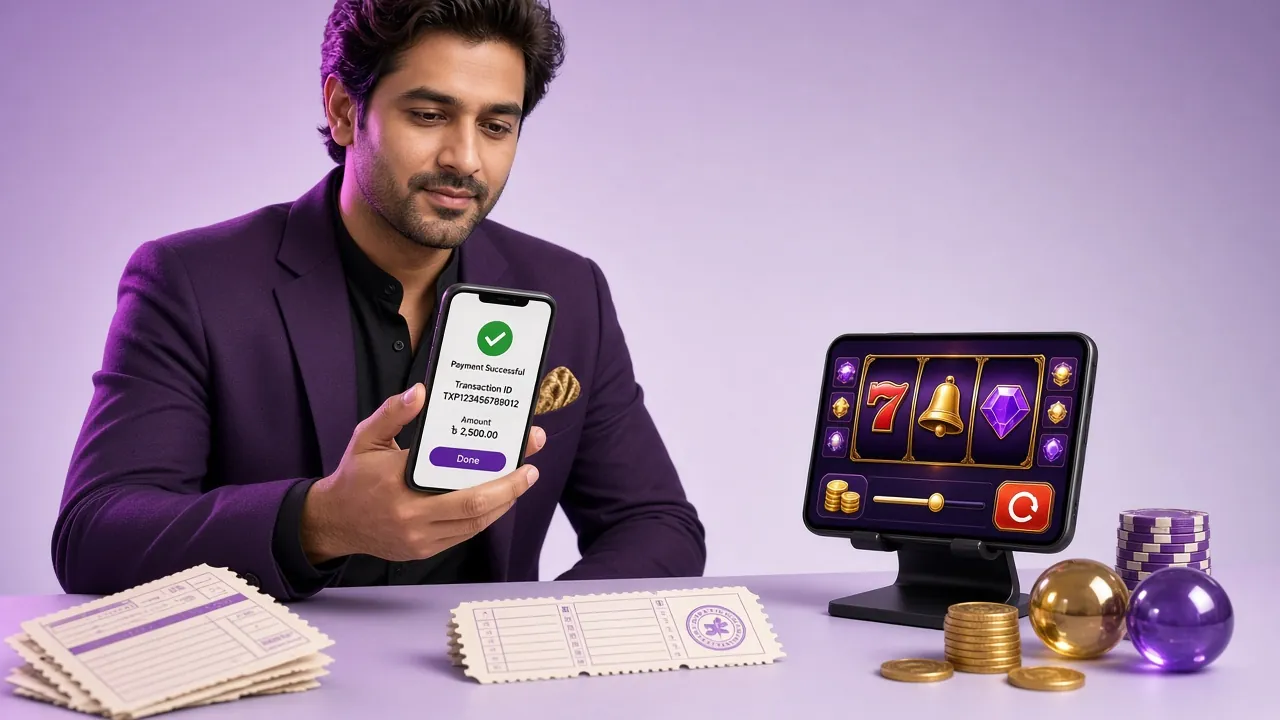
Step-by-Step: How to Add Money
The process is the same for all four wallets. The only differences are the app you open and the merchant name shown on your phone.
-
1
Log in and open the Deposit page
Go to q669q Login, enter your credentials, then find the Deposit button in your account dashboard. If you do not have an account yet, register first — it takes about two minutes.
-
2
Choose your payment method
Select bKash, Nagad, Rocket, or Upay from the payment panel. Each method shows the current processing time (usually around 4 minutes) and the minimum amount of ৳200.
-
3
Enter the deposit amount
Type how much you want to add. The minimum is ৳200. If this is your first deposit, any amount qualifies for the welcome bonus — the bonus caps at ৳11,000, so a first deposit of ৳5,000 or above gets you the full 220%.
-
4
Send the payment from your wallet app
A q669q merchant number will appear on-screen. Open your bKash (or Nagad / Rocket / Upay) app, choose Send Money or Payment, paste the number, confirm the amount, and enter your PIN. Do not close the browser tab until you see the confirmation screen.
-
5
Enter the transaction ID and confirm
Copy the Transaction ID (TrxID) from your wallet app's payment receipt and paste it into the q669q deposit form. Tap Confirm. The system matches your payment automatically and credits your balance — typically within 4 minutes.
If Your Deposit Does Not Arrive
Most delays or failures come down to a small number of causes:
| What Happened | What to Do |
|---|---|
| Wrong merchant number entered | Contact 24/7 live chat. Provide your TrxID — the team will trace the payment manually, usually within the same session. |
| Amount entered in app differs from form | The system rejects mismatched amounts automatically. Try again with matching figures, or contact support with both receipts. |
| TrxID typed incorrectly | Go back to your wallet app, copy the TrxID again (long-press to copy), and resubmit. Even one wrong character blocks the match. |
| Bank or mobile network delay | Wait up to 10 minutes before contacting support. Network congestion during peak hours (evenings, match days) can slow wallet confirmations. |
| Daily wallet limit reached | bKash and Nagad have their own daily send limits set by BTRC. Split larger deposits across two transactions or switch to another wallet for the remainder. |
Live chat is available around the clock. Keep your wallet app receipt open when you contact support — it speeds up the check significantly.
Payment Methods at q669q: Deposit & Withdrawal Speed
All four wallets accept deposits and withdrawals. Here is a side-by-side view of the key numbers so you can compare at a glance.
| Wallet | Min Deposit | Deposit Time | Min Withdrawal | Withdrawal Time | Fee |
|---|---|---|---|---|---|
| bKash | ৳200 | ~4 min | ৳1,000 | ~44 min | None (from q669q) |
| Nagad | ৳200 | ~4 min | ৳1,000 | ~44 min | None (from q669q) |
| Rocket | ৳200 | ~4 min | ৳1,000 | ~44 min | None (from q669q) |
| Upay | ৳200 | ~4 min | ৳1,000 | ~44 min | None (from q669q) |
q669q charges no processing fee on deposits or withdrawals. Your own wallet provider may charge a standard send-money fee — check your wallet app's fee schedule for details.
Which Mobile Wallet Fits Your Situation
The speed is the same across all four options, so the right choice depends on your usage habits and phone.
Bangladesh's most widely used mobile wallet. If you already have a bKash account linked to your SIM, it is the fastest path because the app is familiar and the merchant payment flow is straightforward. Best choice for everyday small-to-medium deposits (৳200–৳5,000).
Run by Bangladesh Post Office, Nagad has strong reach outside Dhaka. If bKash is slow on your network or you have a Nagad account already, it is a solid alternative with the same 4-minute deposit window. Useful when bKash merchant queues back up during evening IPL/BPL matches.
Rocket is backed by Dutch-Bangla Bank, so it suits players who prefer a bank-tied wallet. Good option if you regularly move larger amounts and want a formal banking trail. Works well for deposits above ৳5,000 where you want the extra transaction history.
United Commercial Bank's wallet. Less saturated than bKash on busy nights, so it can confirm payments slightly faster during peak traffic. A practical backup if your primary wallet hits its daily send limit — keeping Upay as a secondary option means you are never stuck.
Deposit and Withdrawal Limits: The Numbers That Matter
These limits apply to your q669q account, separate from any limits your wallet app sets independently.
Daily Withdrawal Limit by VIP Tier
| VIP Tier | Monthly Turnover | Daily Withdrawal Cap | Daily Cashback | Birthday Bonus |
|---|---|---|---|---|
| Bronze | — | ৳180,000 | 1.2% | — |
| Silver | ৳25,000 | ৳240,000 | 1.4% | ৳700 |
| Gold | ৳90,000 | ৳320,000 | 1.6% | ৳1,900 |
| Platinum | ৳330,000 | ৳420,000 | 1.8% | ৳5,000 |
| Diamond | ৳1,200,000 | ৳550,000 | 2.0% | ৳13,000 |
| Black Diamond | ৳4,300,000 | ৳720,000 | 2.2% | ৳35,000 |
VIP tier is calculated on monthly turnover, not deposit amount. The more you play, the higher your tier — and the more you can withdraw per day.
From Tap to Balance: How Your q669q Deposit Moves
Most deposits clear in a single smooth step. Here is what happens between pressing "Send" in your wallet app and seeing the funds in your account.
-
0 min — You send
Payment leaves your wallet
The moment you confirm the PIN in bKash/Nagad/Rocket/Upay, the funds leave your wallet balance and a TrxID is generated. Copy this ID immediately — you need it for the next step.
-
0–1 min — Matching
q669q verifies the transaction
The payment gateway checks the TrxID you submitted against incoming wallet records. Amount, merchant number, and ID all have to match. This automated check runs every few seconds.
-
~4 min — Credited
Balance updated
Once verified, your q669q wallet is credited instantly. The page refreshes automatically. If the welcome bonus applies, the bonus amount is added at the same time — no extra steps needed.
-
When it slows down
What causes delays beyond 4 minutes
Heavy network traffic (match evenings, public holidays), mobile operator congestion, or submitting a TrxID with a typo all add time. If 10 minutes pass with no credit, open live chat with your TrxID and wallet receipt ready. Manual review by the support team typically resolves it within the same chat session.
Your first withdrawal goes through a document check. This takes around 2 hours. You will need to submit one of:
- National ID Card (NID)
- Passport
- Driving Licence
Do this before you request your first withdrawal — having the document ready cuts the wait to the standard ~2 hours rather than adding extra back-and-forth. All subsequent withdrawals skip the document step and take around 44 minutes.
Deposit & Withdrawal Speed by Wallet
All four mobile wallets work round the clock. Deposits clear in about 4 minutes; withdrawals land within 44 minutes once approved. No processing fee is charged on our side.
-
bKash
Bangladesh's most widely used mobile wallet
Direction Minimum Typical Speed Deposit ৳200 ~4 minutes Withdrawal ৳1,000 ~44 minutes -
Nagad
Postal Department wallet — fast and reliable
Direction Minimum Typical Speed Deposit ৳200 ~4 minutes Withdrawal ৳1,000 ~44 minutes -
Rocket
Dutch-Bangla Bank mobile banking service
Direction Minimum Typical Speed Deposit ৳200 ~4 minutes Withdrawal ৳1,000 ~44 minutes -
Upay
UCB-backed wallet with growing merchant network
Direction Minimum Typical Speed Deposit ৳200 ~4 minutes Withdrawal ৳1,000 ~44 minutes
Maximum single-day withdrawal: ৳185,000. No fee is added by q669q on either direction — your wallet provider's standard charges may apply separately.
Answers to q669q Deposit Questions
What is the minimum deposit amount at q669q?
The minimum deposit is ৳200 per transaction. This applies to all four supported wallets: bKash, Nagad, Rocket, and Upay. There is no maximum deposit cap set by q669q — however, your wallet app has its own daily send limits set by Bangladesh Bank and BTRC regulations. If you need to deposit more than your wallet's daily limit allows, split the amount across two transactions or use a different wallet for the second payment.
Does my first deposit automatically trigger the welcome bonus?
Yes. The 220% first deposit bonus is applied automatically when you make your first qualifying deposit. No coupon code is needed. The bonus caps at ৳11,000, so depositing ৳5,000 gives you the maximum bonus amount. The bonus comes with a 10× wagering requirement. For example, if your deposit plus bonus totals ৳16,000, you need to wager ৳160,000 before withdrawing the bonus portion. The bonus is valid for 7 days from the date it is credited.
My deposit is not showing after 10 minutes. What should I do?
First, check that you submitted the correct TrxID — open your wallet app, go to the transaction history, and copy the TrxID again rather than retyping it. If the TrxID is correct and 10 minutes have passed, contact q669q live chat (available 24/7). Have the following ready: your q669q account username, the TrxID, the wallet number you sent from, the amount, and the time of the transaction. The support team can trace the payment manually and credit your account directly if everything checks out.
Does q669q charge any fee for depositing or withdrawing?
q669q itself charges no fee on deposits or withdrawals. The amounts you deposit and withdraw are processed at face value — ৳200 in means ৳200 credited. Your wallet provider (bKash, Nagad, Rocket, or Upay) may apply its own send-money or payment fee according to its published rate card. That fee, if any, is charged by the wallet company, not by q669q. To avoid surprises, check your wallet app's current fee schedule before sending large amounts.
Can I make deposits using the q669q mobile app?
Yes. The q669q Android app (version 3.9.16, 28 MB, requires Android 6.0 or above) includes a full deposit and withdrawal interface. The process is identical to the browser version: select your wallet, enter the amount, send from your wallet app, and paste the TrxID back into the q669q app. The app notifies you as soon as the payment is confirmed. Downloading the APK directly from q669q ensures you have the latest version with all payment integrations up to date.
Can I withdraw more than ৳185,000 per day?
The standard daily withdrawal limit is ৳185,000. This increases as you move up VIP tiers based on your monthly turnover. Silver tier (৳25,000 monthly turnover) raises the daily limit to ৳240,000. Gold (৳90,000 turnover) brings it to ৳320,000. Platinum players can withdraw up to ৳420,000 per day, Diamond up to ৳550,000, and Black Diamond up to ৳720,000 per day. VIP tier is updated automatically at the start of each month based on your previous month's turnover.
Ready to Make Your First Deposit?
Create your account in two minutes, make a deposit of ৳200 or more, and your 220% welcome bonus (up to ৳11,000) is credited automatically. Use bKash, Nagad, Rocket, or Upay — funds arrive in around 4 minutes.
18+ · Play Responsibly · Minimum deposit ৳200 · Wagering requirement 10× bonus